


Before, I didn’t pay much attention to this script. I just kept tinkering around. After a while, I remembered that qvtek once showed a helper-script website—super useful, and I still use it to deploy services quickly.
About Proxmox VE Helper Scripts
Proxmox VE Helper Scripts was built to simplify installing open-source applications on Proxmox VE. The project has 21,000+ stars on GitHub (back when Thuận Bùi wrote an intro it had 14,000, and in under a year it nearly doubled), which shows how trusted it is in the homelab community.
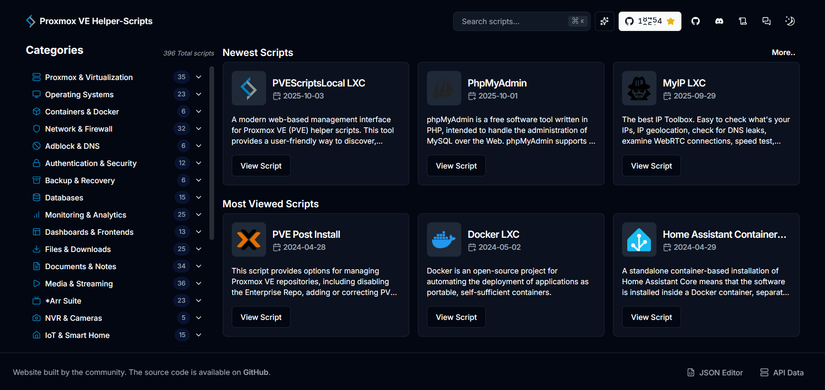
There are currently 396 installation scripts, split into multiple categories for you to explore.
How to use
Install via LXC (scripts labeled Addon)
Like the script below, I run it inside the LXC Shell:
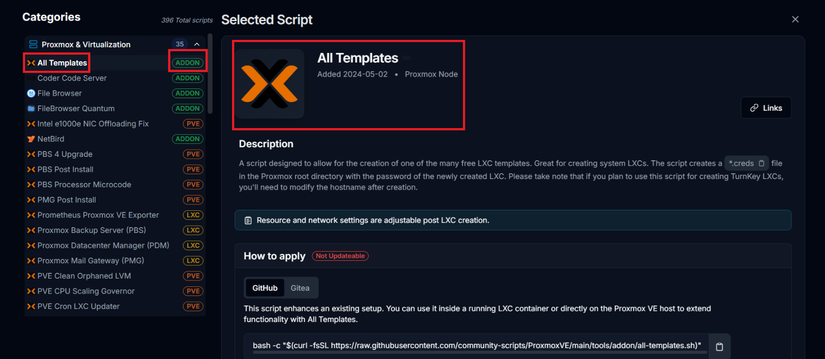
Install via PVE Shell (scripts labeled LXC)
Like this script, it runs in the Proxmox shell:
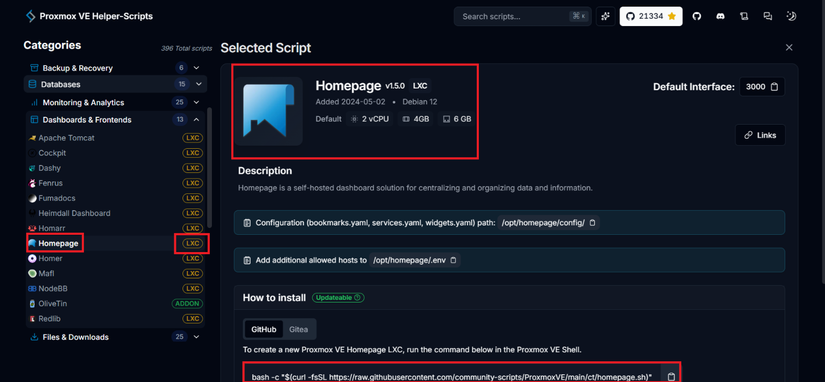
Example: Installing Gethomepage
I’ll try installing Gethomepage using this script. Open PVE Shell and paste:
bash -c "$(curl -fsSL https://raw.githubusercontent.com/community-scripts/ProxmoxVE/main/ct/homepage.sh)"
After pasting into the PVE shell, you’ll see this:
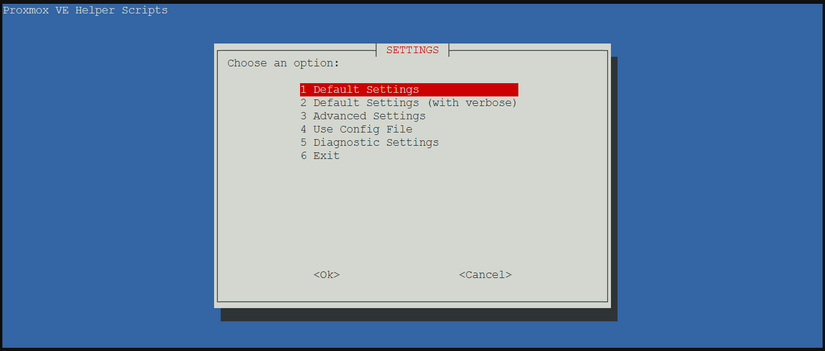
Just press Enter and don’t overthink it:
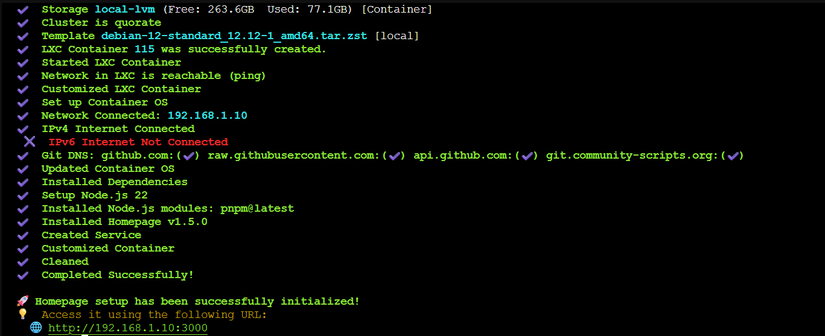
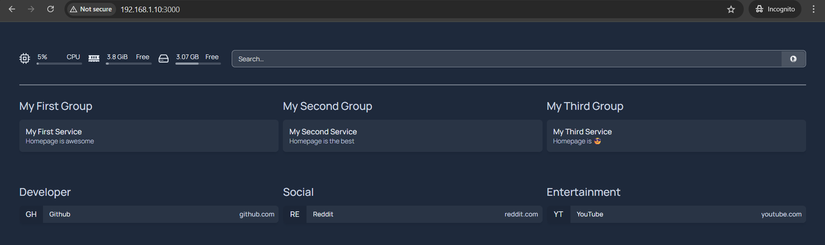
Then visit http://192.168.1.10:3000 to see the homepage:
Conclusion
That’s it—super simple. If you get bored, just delete it. But make sure you understand what you’re running.
Happy tinkering!



Comments
Join the conversation
Leave a comment
No comments yet
Be the first to share your thoughts!