 AI TUYỆT VỌNG
 Mar 16, 2026 • 6 min read
From Prompt Engineer to Unemployed
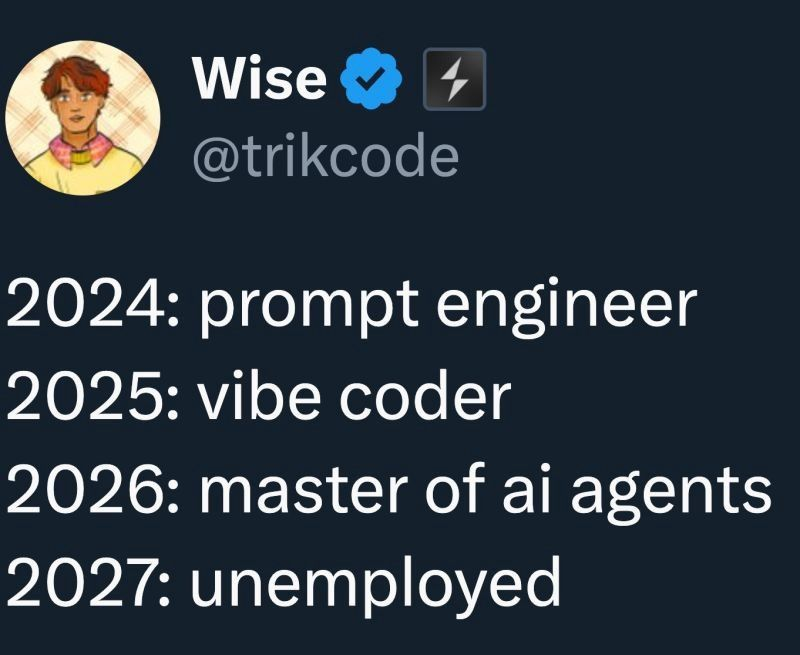
From prompt engineer to unemployed in 4 years. The meme that seemed like a joke but is terrifyingly accurate — and I’m on line three. 9 months left.
When there's no job, build a homelab. Sharing the journey from zero to self-hosted everything — turning a bedroom into a data center.
A homelab is a personal laboratory at home where you build and manage your own servers, network infrastructure, and self-hosted services. Instead of paying for cloud services, you host everything on your own hardware.
For an unemployed developer like me, a homelab isn't just a hobby — it's where I practice DevOps, networking, and system administration. Every service I deploy is a new line on my resume.
Articles about homelab, self-hosting, vibe coding, and the journey of an unemployed developer.
AI TUYỆT VỌNG From prompt engineer to unemployed in 4 years. The meme that seemed like a joke but is terrifyingly accurate — and I’m on line three. 9 months left.
 AI TUYỆT VỌNG
 Anthropic just opened up the 1M context window to all Claude users. No extra fees, no beta headers. But as context windows grow larger, so does the pressure on developers.
 UNCATEGORIZED
 A dev’s analysis of the technical infrastructure behind Xôi Lạc TV — bandwidth, infrastructure, streaming costs, and lessons for homelab enthusiasts.
HOMELAB Deploy a Hexo blog to Vercel for failover, fix the Root Directory mistake, and hit the CNAME/A record conflict on Cloudflare DNS setup today.
HOMELAB Fix Proxmox dying after removing a VGA: PCIe index changes break NICs, so pin interfaces with network-interface-pinning and reboot safely now too.
HOMELAB Build a Proxmox Cluster across nodes in different networks using Tailscale VPN, tune corosync, and handle SSL/quorum pitfalls cleanly end to end.
Read homelab articles on the blog or check out my homelab dashboard.
See more projects or learn about Thất Nghiệp Dev.
