

One of the three people who inspired me once said this
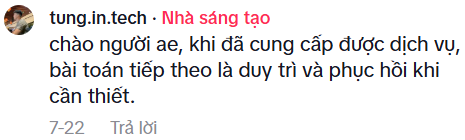
So the next problem we need to solve is Backup and Restore.
Reinitialize the disk
When I did YT dlp, I turned the disk into LVM storage (disk for VMs), so I have to format everything on this disk.
Shut down and detach the disk from the yt dlp LXC

vgdisplay #Xem tên VG (Volume Group)
lvdisplay #Xem tên LV (Logical Volume)

lvremove /dev/vg-hdd500/vm-112-disk-0 #Xoá LV
vgremove vg-hdd500  #Xoá VG
### Format lại
mkfs.ext4 /dev/sdd
mkdir /mnt/backup-hdd
mount /dev/sdd /mnt/backup-hdd
### Thêm vào fstab để auto-mount
echo "/dev/sdd /mnt/backup-hdd ext4 defaults 0 0" >> /etc/fstab
Configure backup in Proxmox
Back in the Proxmox UI, go to data center -> Storange
Click add and fill in like this
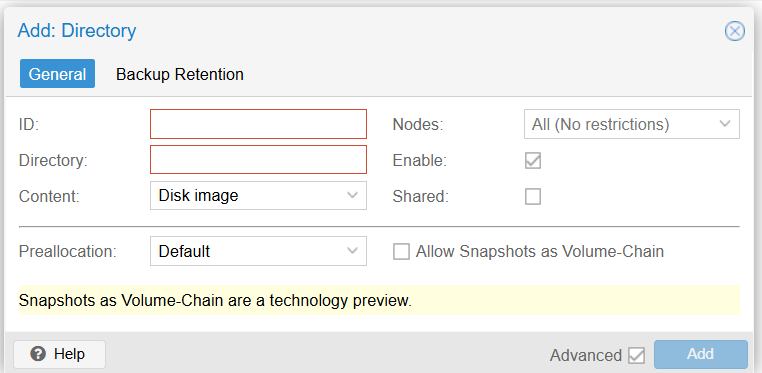
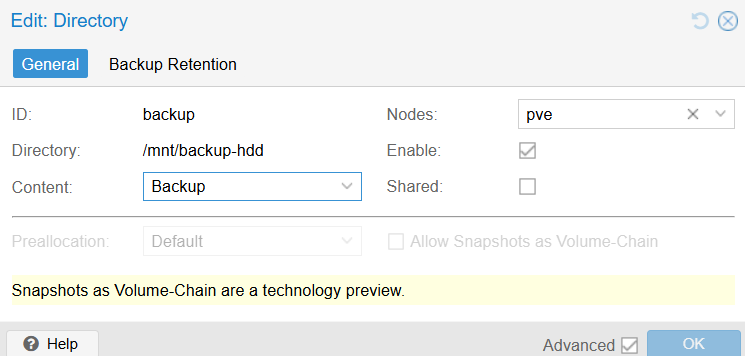
Scroll to backup and add
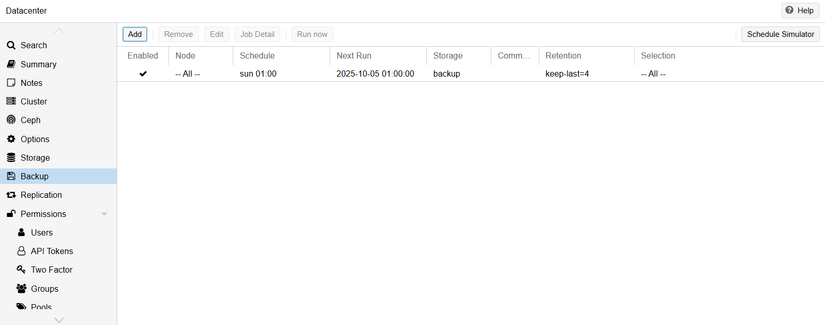
Choose the settings however you want.
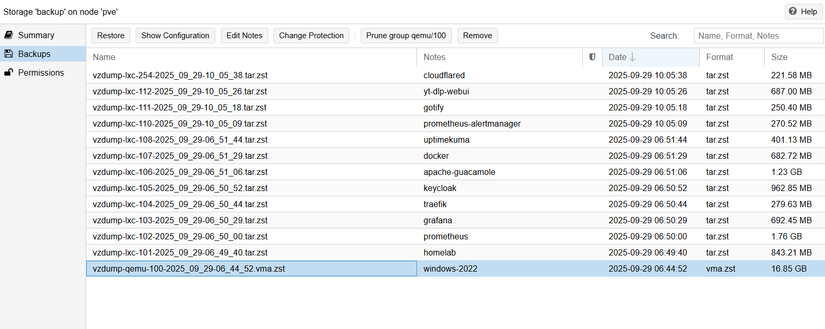
The first backups

Comments
Join the conversation
Leave a comment
No comments yet
Be the first to share your thoughts!