

Recently I only focused on creating services to use. Now I have to put them on a dashboard to flex a bit. After this post I’ll probably have a basic website that’s actually viewable.
Gethomepage Widget
You need to read the gethomepage docs to do this.
Problems
Problem 1: Can’t SSH remote
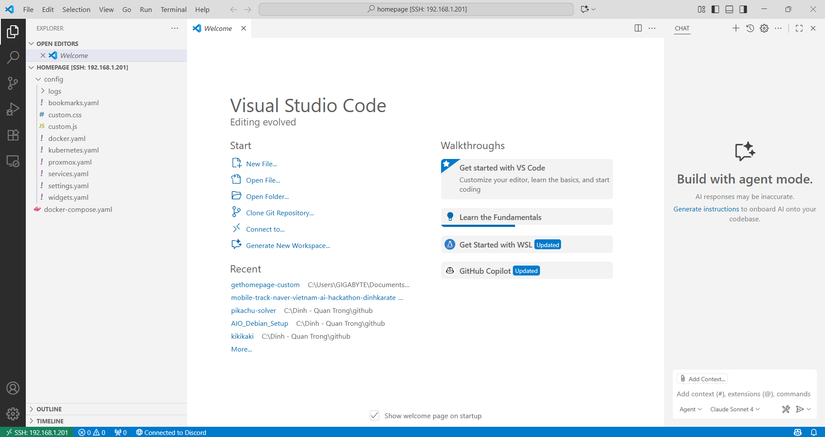
While using VSC to SSH into the homelab to custom code, I found the error that caused the Portainer setup to be unreachable. Basically I set the subnet to /32, which makes it only talk to itself and the gateway, with no local network access.
Simple fix: change it to /24.
SSH remote works nicely, no need to type nano like a caveman
Problem 2: Not Allowed host in gethomepage
Host validation failed for: 192.168.1.201:3000. Hint: Set the HOMEPAGE_ALLOWED_HOSTS environment variable to allow requests from this host / port.
Pretty easy fix. Just change the environment allow host to match the host you want
    environment:
      HOMEPAGE_ALLOWED_HOSTS: gethomepage.dev # required, may need port. See gethomepage.dev/installation/#homepage_allowed_hosts
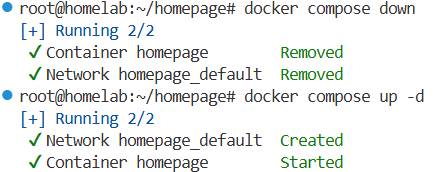
You have to bring docker compose down and up again. If you only restart, the network stuff doesn’t reset
Problem 3: Browser cache
After CSS, I checked the live domain and got stuck with Cloudflare cache. Because I was accessing via the domain, I couldn’t see any changes => wasted about 30 minutes before realizing and going back to the local host
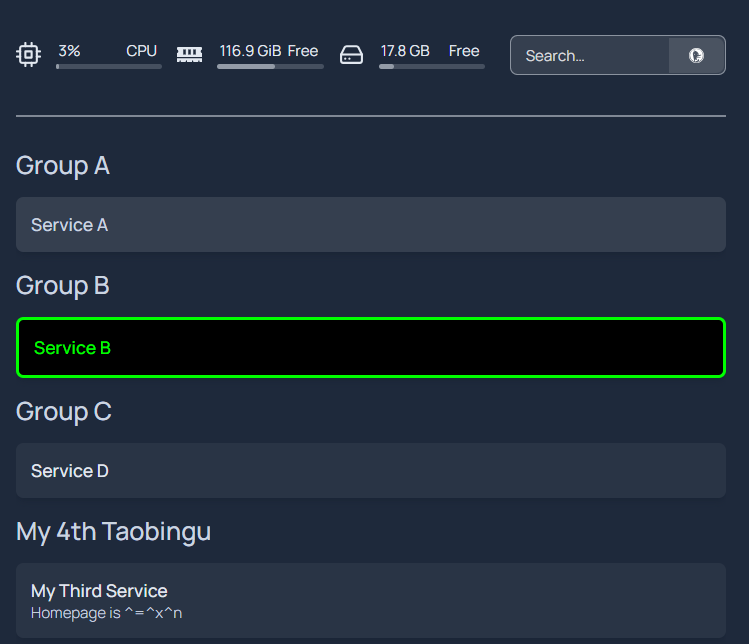
Time to do CSS… later



Comments
Join the conversation
Leave a comment
No comments yet
Be the first to share your thoughts!