

The VPS from VPSRe finally got delivered. So I wanted to install wg-easy on it for the 5 IPs there. There are nicer options like 3xUI, but learning a new stack is honestly annoying. If the old one still works and I don’t need to learn more, I’ll just use wg-easy for convenience.
Problems and solutions
TLS and Cloudflared issues
During installation I ran into TLS issues. This looks like future pain. I’ll temporarily use HTTP and let Cloudflared handle HTTPS. I love the orange cloud.
To get the API, just read the gethomepage docs for Portainer and then the Portainer docs for how to fetch the API key. Done.
While putting the key into .env, I got trolled: env didn’t pick up the API because the token contained “/”. But that wasn’t the reason — there was an old Prometheus query line left at the end of the file =)
wg-easy issues
In the newer wg-easy version, it requires a hashed password. Slightly annoying, but the docs show how. After hashing, the password hash looks like:
keykey$keykeyThe key point is the $. When you put it into docker-compose.yml, it won’t be recognized unless you escape it as $$.
- PASSWORD_HASH=$$2a$$10$$cA4sadSADASVSXxcbXjvbEiYs/OGEZ6It will look like this. And then it’s solved.
.env and wrong ENV set
After fixing .env, came the wrong ENV set. It should be env=3 but I set =1, oops. Basically gethomepage reads each env from Portainer, and it must be correct to be recognized. Why env=1 and 2 got swallowed, I didn’t care. If you isolate and check, it would be in Portainer, but I don’t want to touch it. It’s a one‑time setup system; I won’t touch it again until the VPS expires.
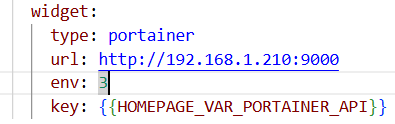
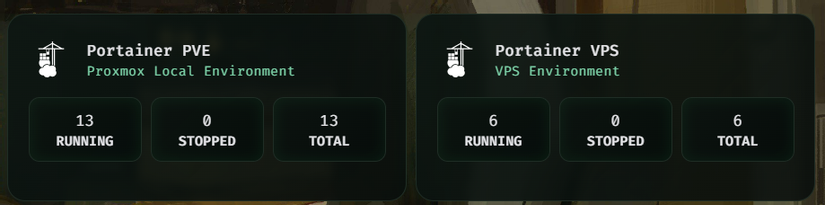
And that’s Portainer.
But that’s kind of boring. There are still 5 Docker containers on the VPS, so let’s keep going.
Working on a VPS is sensitive if you use HTTP, so set up Cloudflared first.
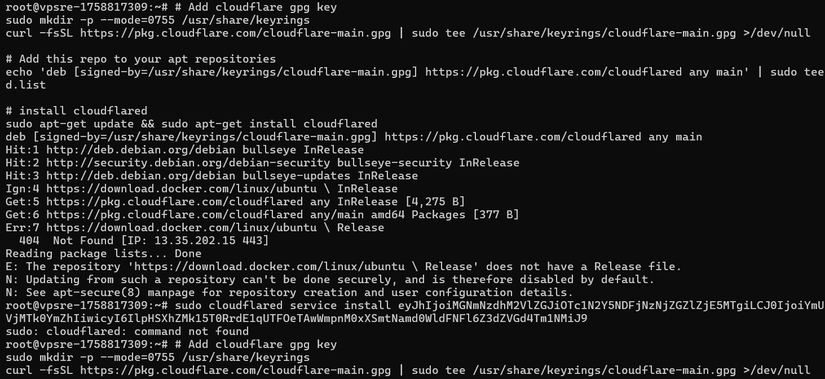
Installing with the cloudflared guide failed, so I installed via the GitHub repo for speed. I was too lazy to troubleshoot. Probably /etc/resolv.conf again, but when I checked it wasn’t.
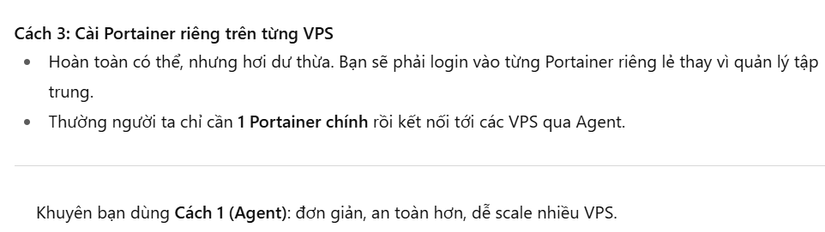
Wrong approach again, so back to the old Portainer.
I initially thought ChatGPT was exposing the whole VPS IP to the outside and then letting Portainer connect — sounded insane, and on top of that HTTP? No way. Turns out I blamed it wrongly. Portainer uses a self-signed HTTPS and then exchanges keys in the first 5 minutes when claiming the Agent. So it’s secure.
Add a bit of config and it’s done.



Comments
Join the conversation
Leave a comment
No comments yet
Be the first to share your thoughts!